
::Developed as part of the Duophonic Transience research project, a research project by William Primett as a research fellow at Tallinn University::
This page will run through the key components of the hardware apparatus, along with instructions for using a Max/MSP patch to explore sound mappings.
Header Image: Max/MSP patch interface used to control sonfication
Introducing the FM Practice Ball
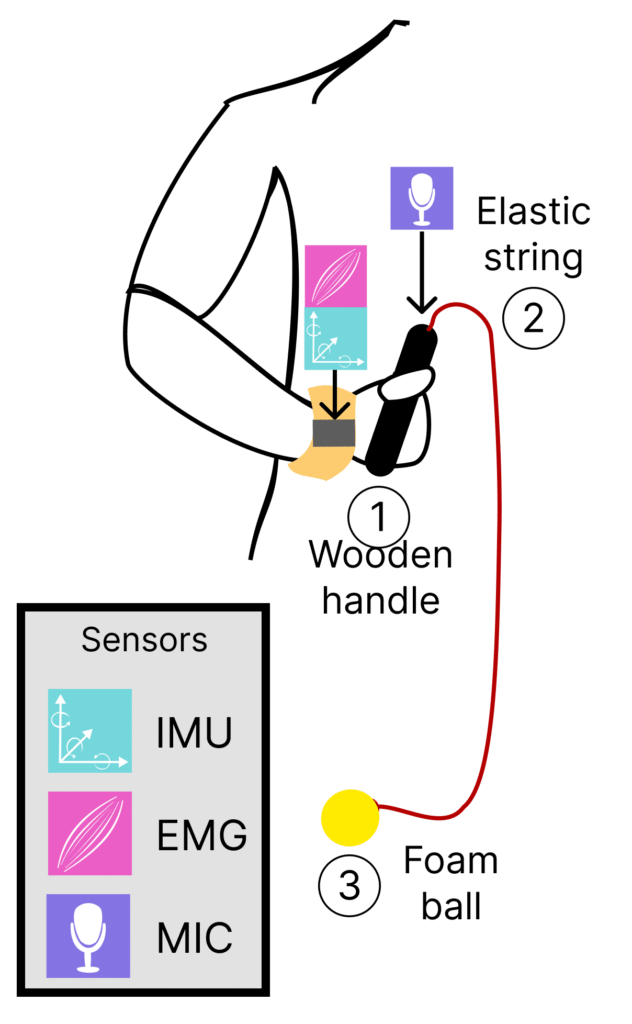
Using a combination of inertial, physiological and acoustic sensors, we orchestrate an augmented use of a physical prop, the FM Practice Ball, used to support partnering exercises by providing a dynamic problem spaces. The original design is made up of a lightweight foam ball and a wooden handle connected by an elastic string. The ball can be swung, thrown, watched, or dodged, providing a plethora of affordances for exploring interpersonal movement, where leading and following roles can be assigned to each subject.
Augmenting the Practice Ball
For our augmented prop, we integrate three input modalities. An inertial measuring unit (IMU) captures the acceleration and orientation in space, an electromyography (EMG) sensor is used to measure muscular activity, and a microphone captures raw audio. The IMU and EMG sensors are embedded onto the Bitalino R-IoT device, attached to an adjustable wristband with two extruding electrodes, securing contact with the wrist muscles with conductive gel. Sensor data is transmitted wirelessly over WiFi (via Open Sound Control) to the host computer running a Max/MSP patch (detailed in the following section). A levier microphone is placed inside the recess of the wooden handle, and stabilised with an adhesive putty used to minimise unwanted collisions. From here, the input volume is adjusted to emphasise vibrations produced by the tension from the elastic string and ball.
In our version, a wireless audio transmitter (attached to the end of the wooden handle using a 3D printed mount) is used to stream microphone audio to the host computer. A wireless connection is recommended to reduce obstruction during movement, however this is optional.
Sound Mapping with RAVE and nn~
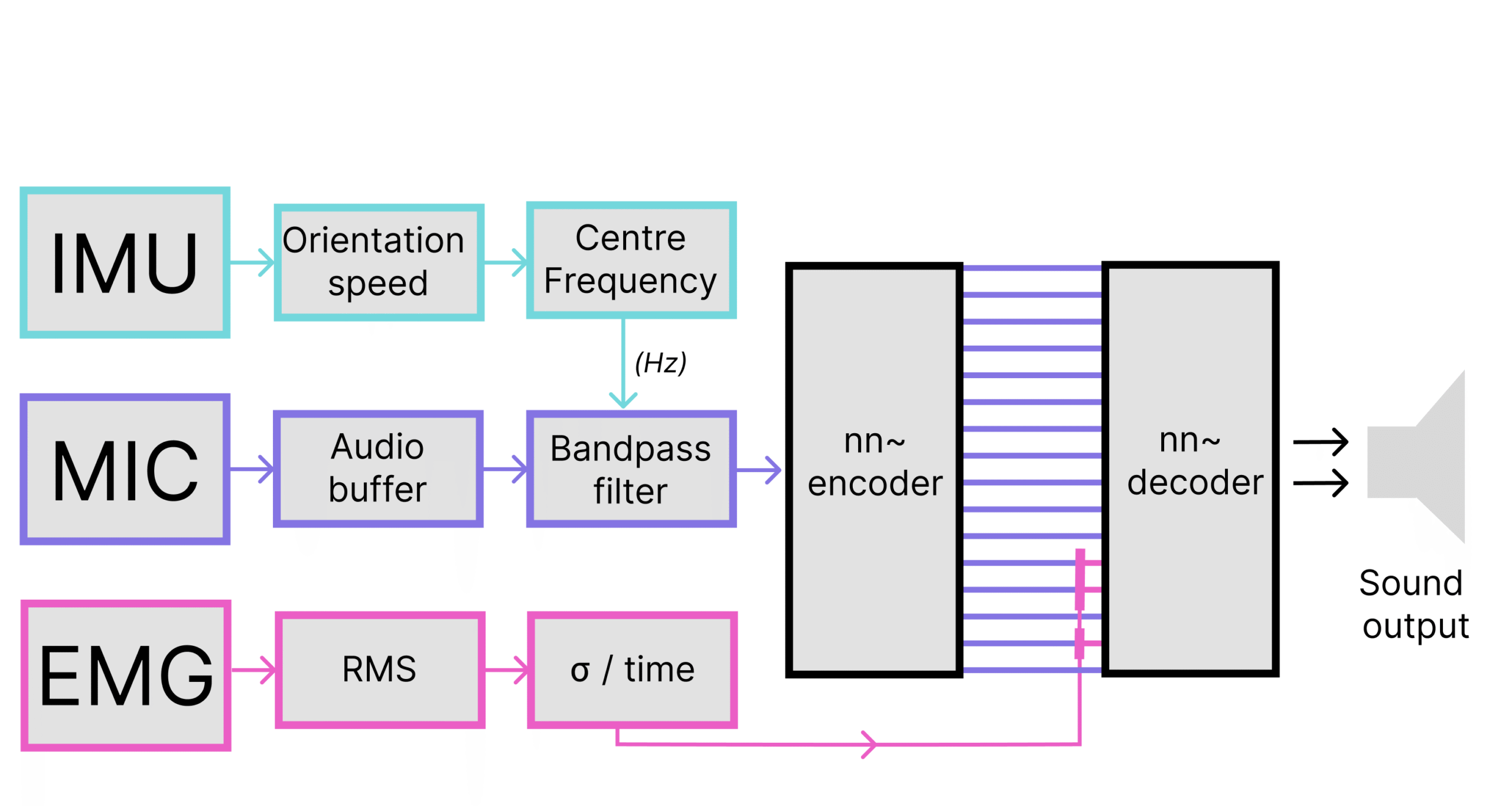
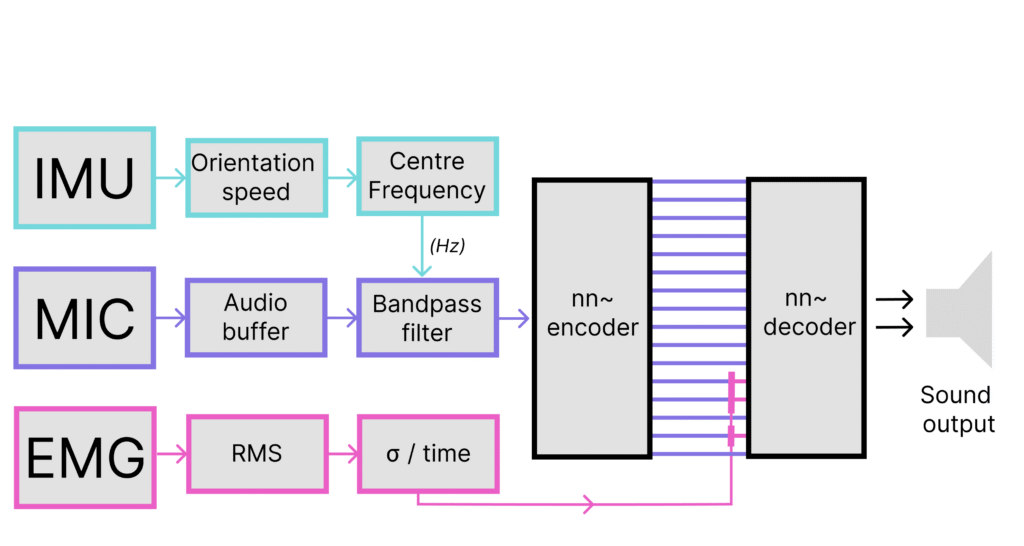
We make use of a variational autoencoder, RAVE, which can be conveniently coupled with sensory data and sound inputs when using the nn~ package. This combination enables neural synthesis in real-time via latent mapping space navigation, where nn~ provides a versatile translation layer between high-level visual programming environments and deep learning operations used for the RAVE model.
The latent mapping leverages a neural synthesis approach as a means to navigate between a vast range of sound textures, accessible amongst an array of float values that represent salient perceptual features of the sound space. The filtered audio buffer is continuously encoded using the RAVE model, producing 16 latent dimensions. Three of the latent dimensions are modulated with muscle tension data. This results in a timbre transfer effect that is conditioned by physiological signal data. For our study, we make use of the water_pondbrain model published by the Intelligent Instruments Lab, trained on water recordings. This provided 16 latent dimensions and low-latency performance when using a consumer laptop.
Software and Configuration
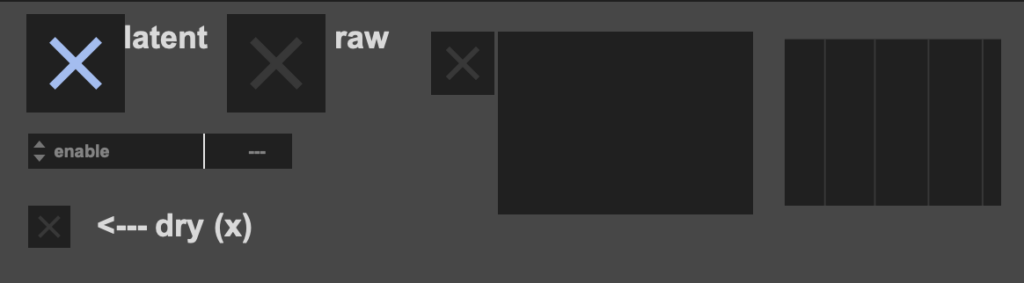
MAX/msp patch is available on the project GitHub repository – https://github.com/modina-eu/nn-fm-practice-ball-m4l
Requirements
Max/MSP Host
The patch can run as a standalone app or as a device in Ableton Live via Max4Live. The external libraries (listed below) must be installed to the correct file path.
- Max/MSP standalone – https://cycling74.com/products/max-9
- Max4Live – https://www.ableton.com/en/live/max-for-live/
External Libraries and models
RAVE/nn~ for audio
- nn-tilde for RAVE – https://github.com/acids-ircam/nn_tilde/releases/
- See README instructions for installation on Windows or MacOS
- This patch was developed with nn~ v1.6
- Download the water_pondbrain model by Intelligent Instruments Lab – https://huggingface.co/Intelligent-Instruments-Lab/rave-models/tree/main
- Pre-trained models must be accessible from the Max file system (Options -> File Preferences)
DSP
- pipo – https://github.com/ircam-ismm/pipo
- digital-orchestra-toolbox – https://github.com/malloch/digital-orchestra-toolbox
BITalino R-IoT
This project makes use of the BiTalino R-IoT to acquire and stream IMU and sensor data. With some tinkering inside the patch, this can be replaced with an alternative sensor device, or just the microphone input.
- motion analysis max objects – https://github.com/Ircam-R-IoT/motion-analysis-max
- We are using the latest max-bitalino-riot2